Invoice from the task record
Task pricing, contact context, due dates, activity history, and billing actions are visible where the work was managed.
- Task-linked pricing
- Contact and company details
- Due dates and payment type

Billing workflow
PLN helps survey companies move from completed work to clean invoice records without re-entering the same job details in a separate tool.
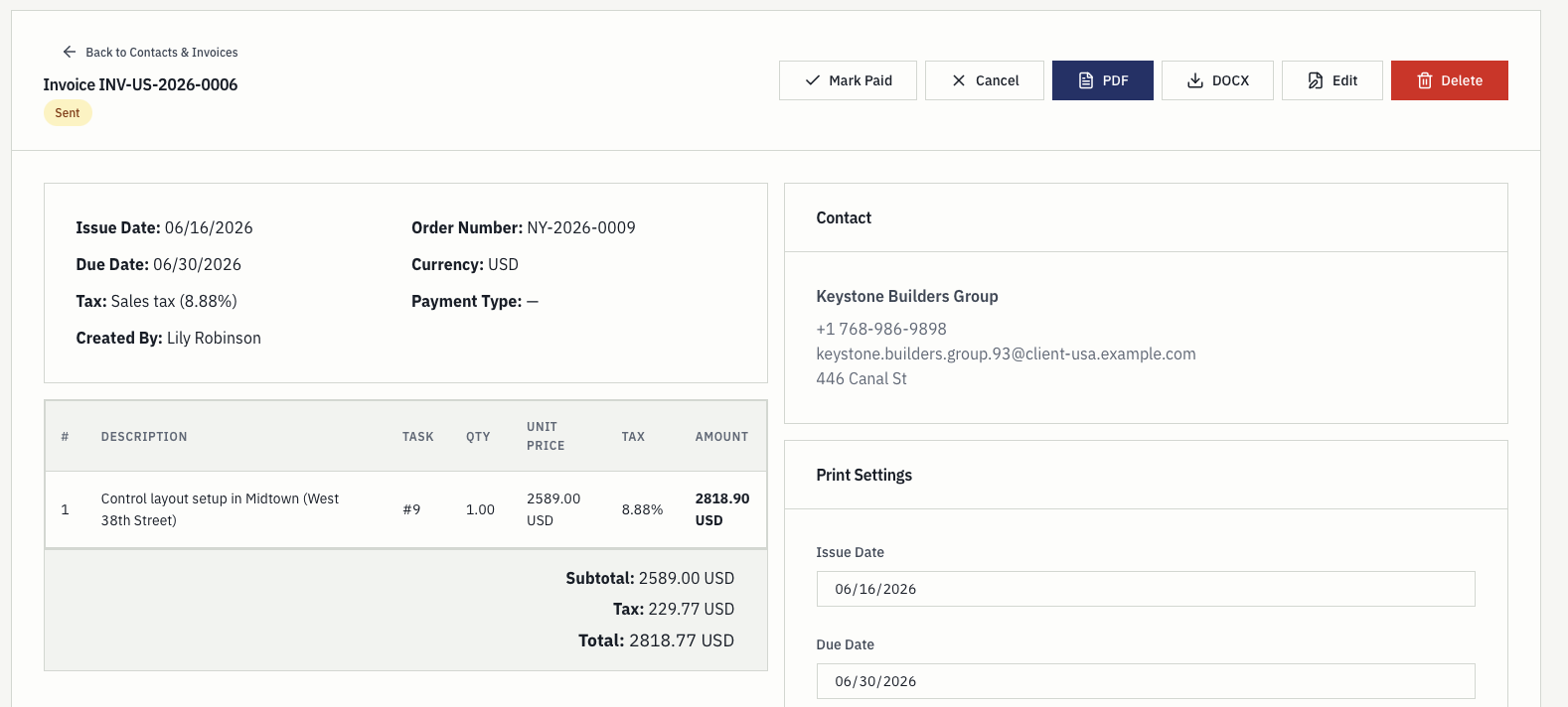
Task pricing, contact context, due dates, activity history, and billing actions are visible where the work was managed.
Invoices can move through draft, sent, paid, and cancelled states while staying connected to the operational history.
Billing staff can export invoice documents while keeping the source data in PLN for later review.
From work to invoice
Most survey billing problems are not billing problems. They are the cost of the job details having been typed once into a task system, once into a spreadsheet, and once again into an accounting tool, with a month between each.
The invoice record
An invoice is built from the task it belongs to, so the contact, the agreed price, and the activity history stay reachable from the document rather than being copied out of it. When a client queries a line, the answer is one click away instead of one search through email.
The register
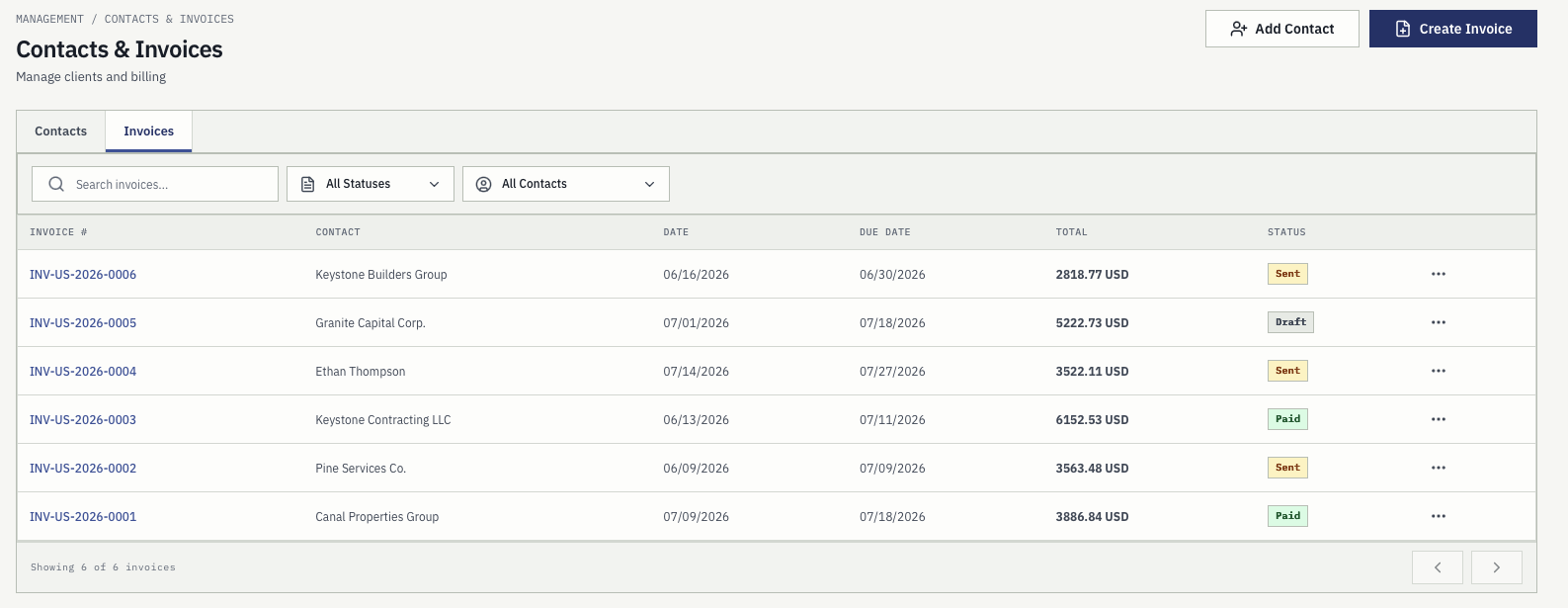
Invoice status lives on the invoice rather than in a parallel tracker that someone has to remember to update. The register shows numbers, contacts, issue and due dates, totals, and where each one stands.
The client side
Billing questions are usually client questions, and they arrive months after the work. Answering them well is a matter of where the history was stored, not how quickly someone can search.
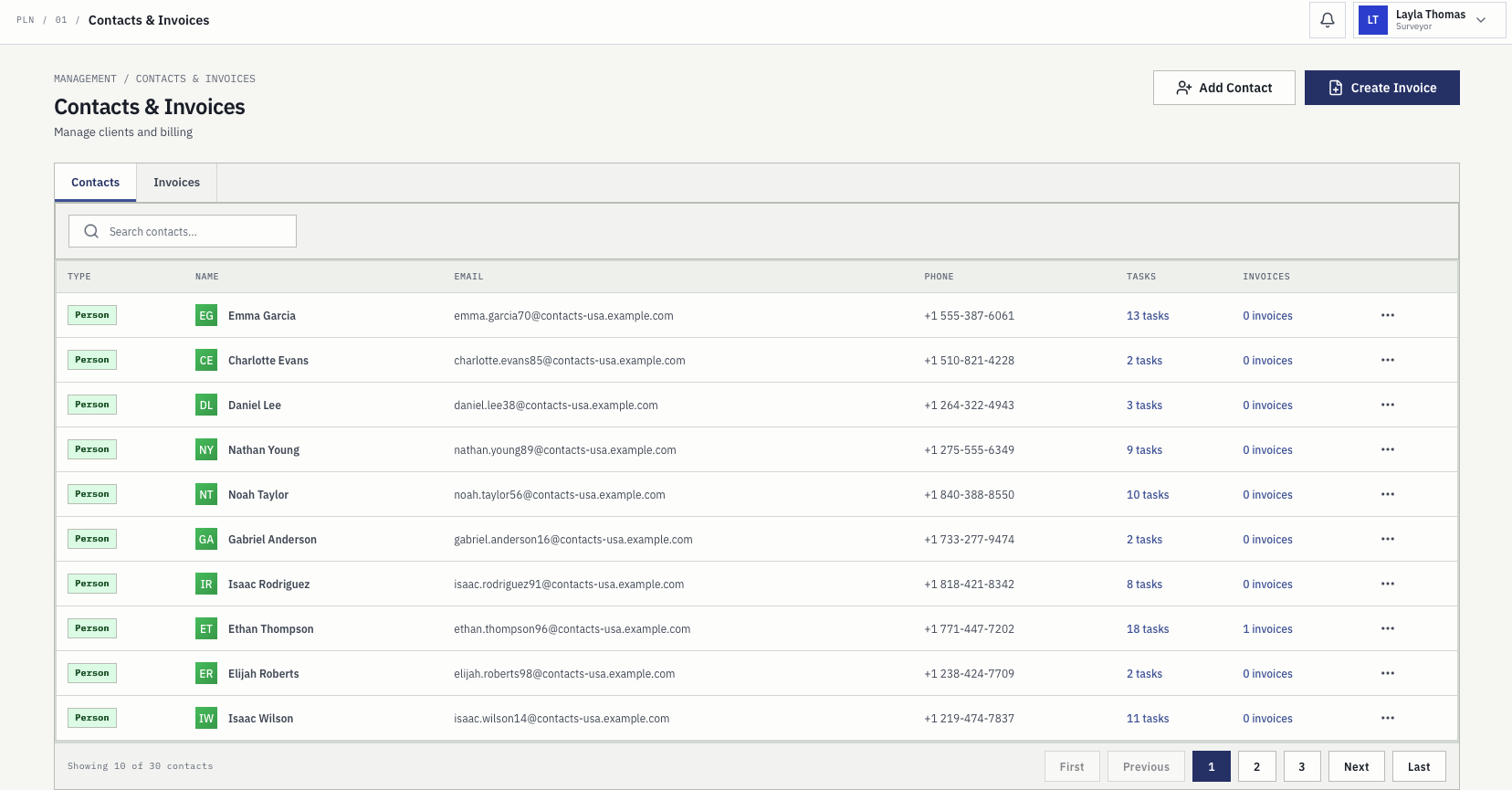
Clients are stored as records with their contact details rather than as a name typed into an invoice field, so the same client is the same record across every job they have ever commissioned.
Each record shows how many tasks and invoices belong to it, so the history behind a relationship is one click away instead of one search through an inbox.
Because the invoice reads the contact record, the address and company details on the tenth invoice match the first without anyone checking.
What gets lost
Survey companies rarely lose whole jobs. They lose the edges of jobs, and always in the same four places.
Parking, materials, an unexpected permit. If it was recorded on the job it reaches the invoice; if it was recorded on paper in a jacket it reaches the invoice sometimes.
The mark had moved, the access was blocked, the client was not there. The return visit is real work and real driving, and it is invisible unless it was logged against the task.
A boundary the client extended while the crew was standing there. Agreed verbally, remembered vaguely, invoiced at the original price.
Work finished after the period closed and filed against the wrong month, which is a reconciliation problem rather than a billing one but arrives as the same shortfall.
Questions
No. PLN prepares invoice records from the survey work and exports documents as PDF or DOCX. Accounting, tax filing, and bookkeeping stay wherever they are done today.
From the task. A survey task carries its agreed price, and activity recorded against the task can be summed as a total or calculated at an hourly rate, so the invoice reads figures that already exist.
Yes. Because the invoice is built from the task, the activity history behind each line stays reachable, which is what makes a client query answerable without reconstructing the month.
PDF and DOCX. The source data stays in PLN for later review rather than living only inside the exported document.
Next step
Start a three-month free trial or contact the team with questions about rollout, pricing, trust, and workflow fit.