Three months free from signup
Your trial starts when your company account is created. No credit card, no automatic charge, and no forced payment at the end.

The most advanced and versatile system for surveyors today
Plan field jobs, assign crews, track equipment, collect activity, and prepare invoices from one workspace built for surveying companies that still coordinate through spreadsheets, WhatsApp, email, and folders.
Get the field app

Founding Surveyor Beta
We are accepting surveying companies that want a practical replacement for spreadsheet-based planning, crew coordination, equipment tracking, activity history, and billing preparation.
Your trial starts when your company account is created. No credit card, no automatic charge, and no forced payment at the end.
We help you map your current job list, statuses, team roles, and workflow into a clean PLN setup plan.
Beta companies can report workflow gaps directly, so product changes are shaped by actual survey operations.
You can export key records and ask for account deletion if PLN is not the right fit for your company.
Operational workflow
Capture the client, location, survey type, assignee, priority, price, due date, attachments, and history.
Build single-day or multi-day field plans with start times, end times, private notes, and tentative schedules.
Assign surveyors, equipment, vehicles, and materials with visibility into absences and existing bookings.
Log work time, distance, expenses, comments, and status changes so managers have a current picture.
Create draft invoices, export PDF or DOCX files, mark payment status, and keep billing history attached.
Product proof
See the operational details: task records, planning conflicts, calendar load, inventory dates, activity reports, and invoice records are all visible in the product.
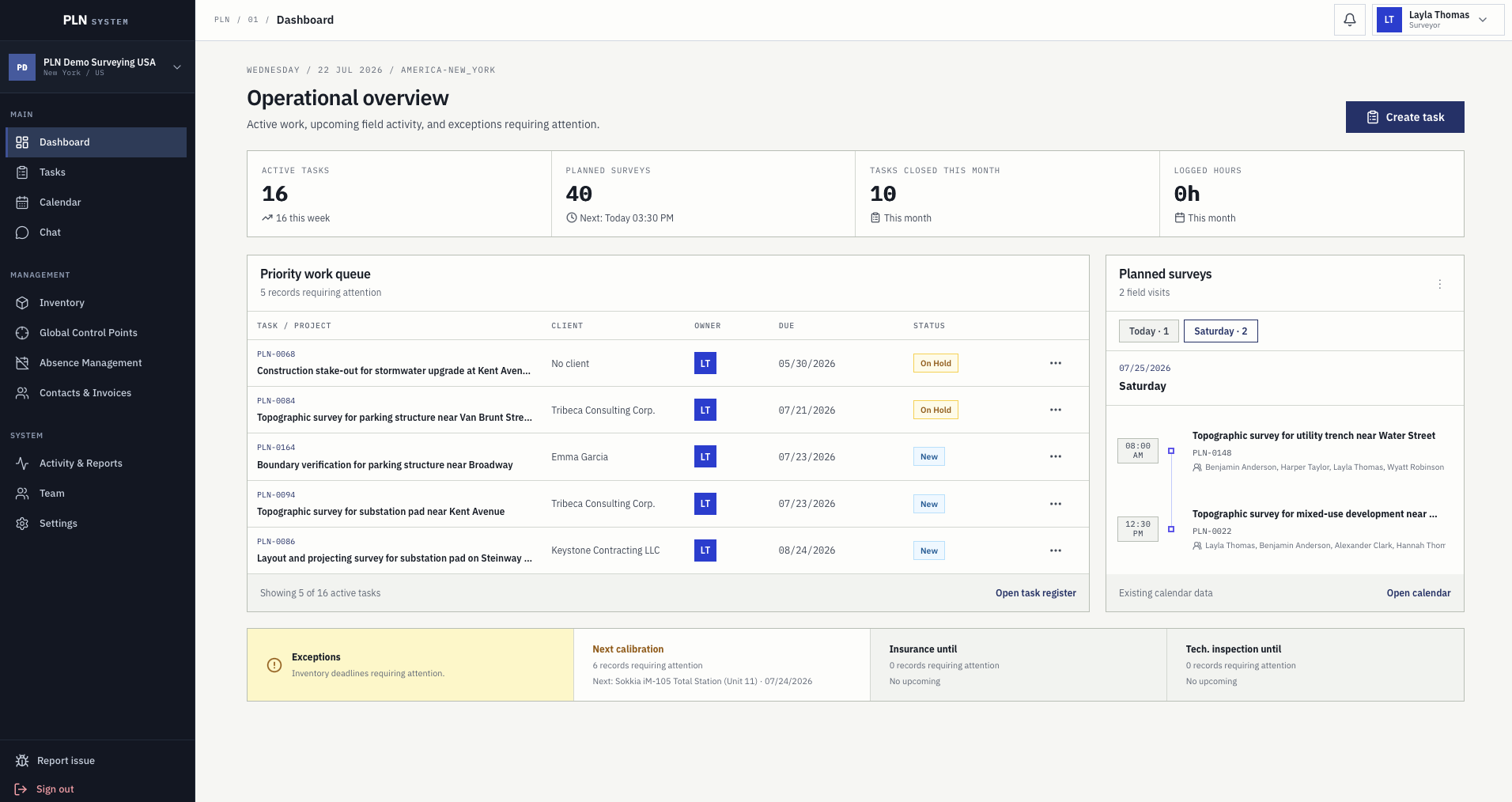
Operational overview
Active tasks, planned surveys, closed work, and logged hours sit next to the priority queue and the exceptions that need a decision today.
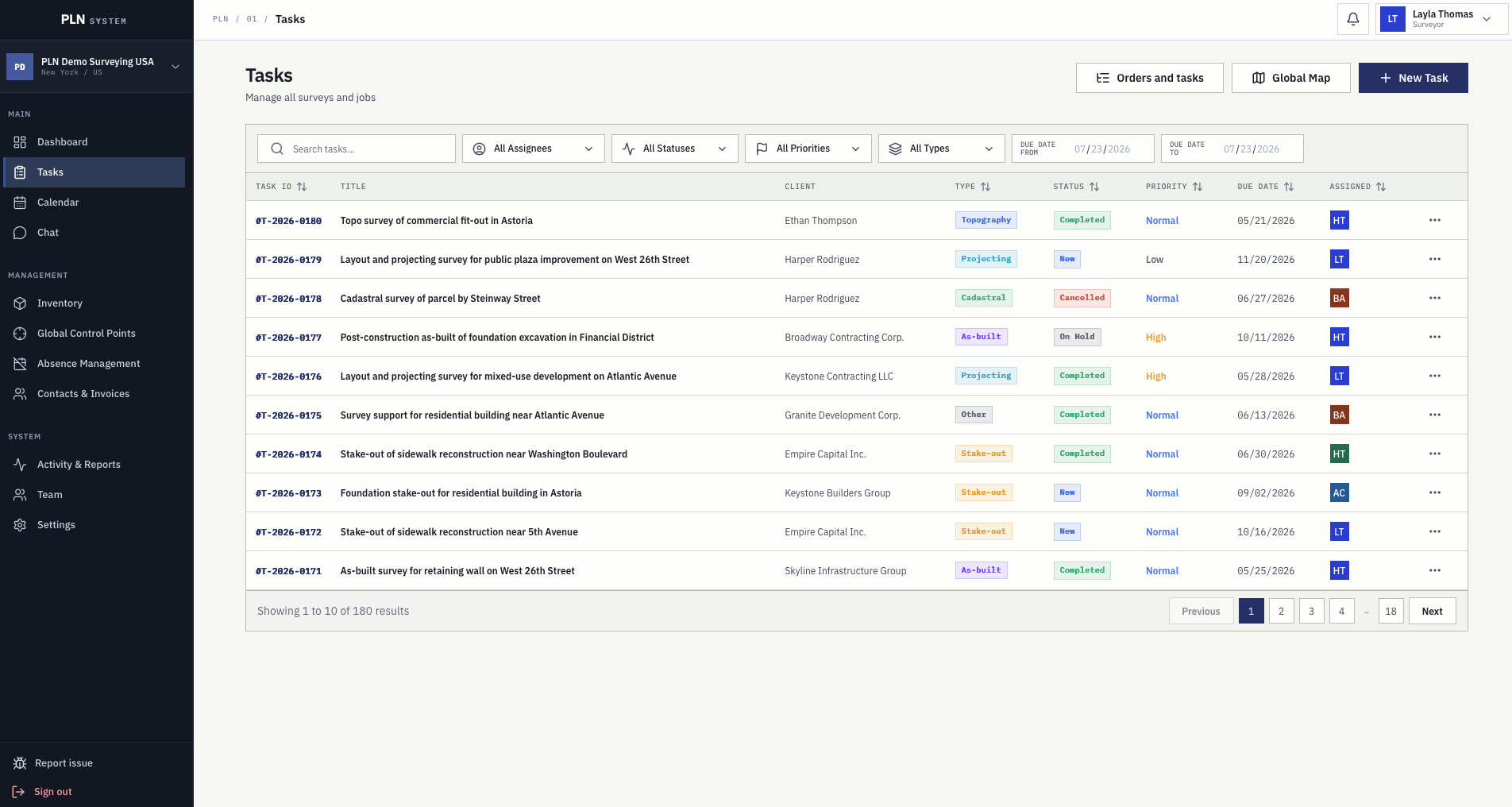
Task record
Managers see scope, client, team, due dates, pricing, attachments, comments, planning, and activity without chasing updates across tools.
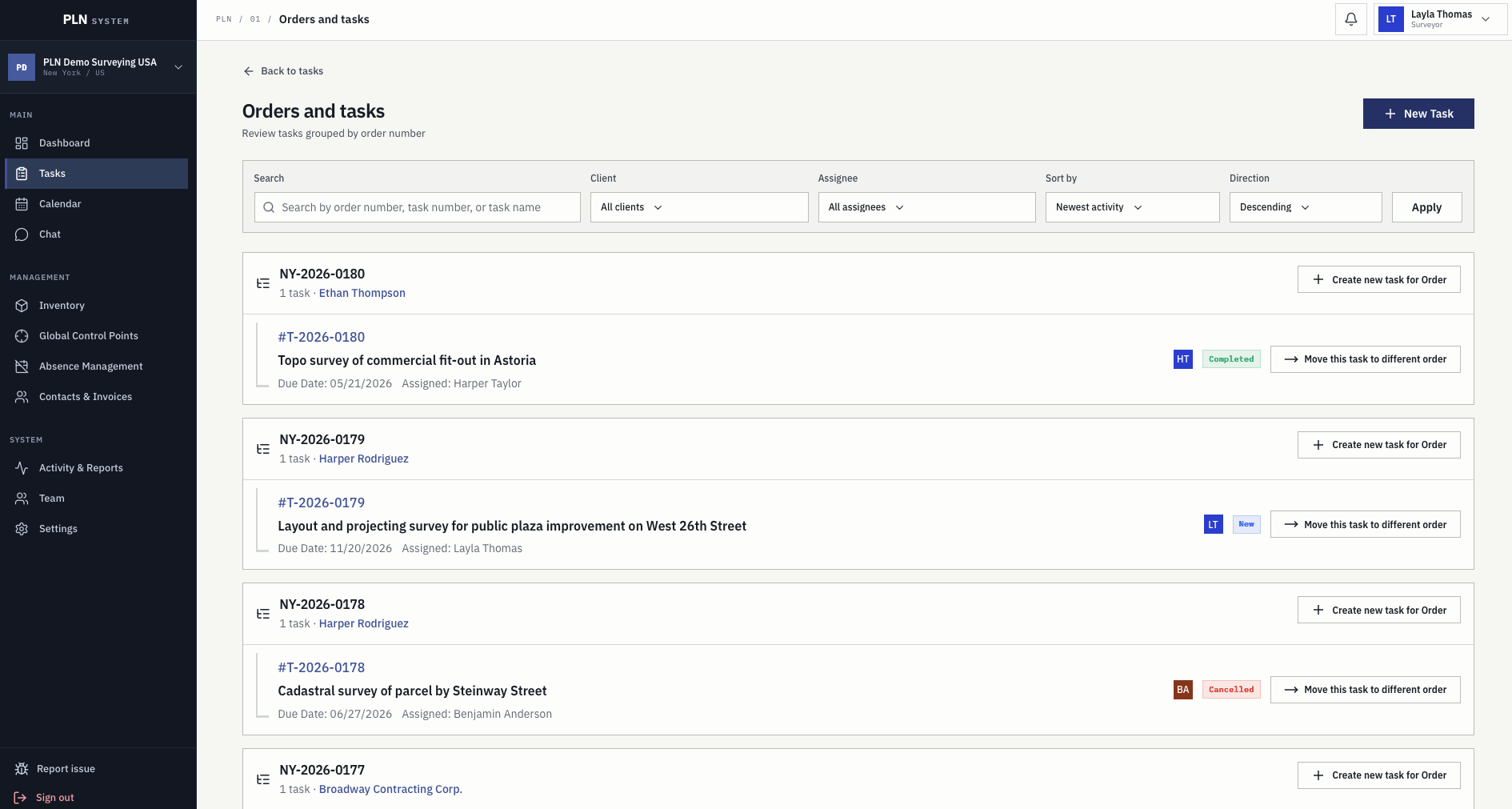
Orders and lineage
One order can carry several survey tasks. The grouped view shows what was ordered, what is already in progress, and what still has to be created.
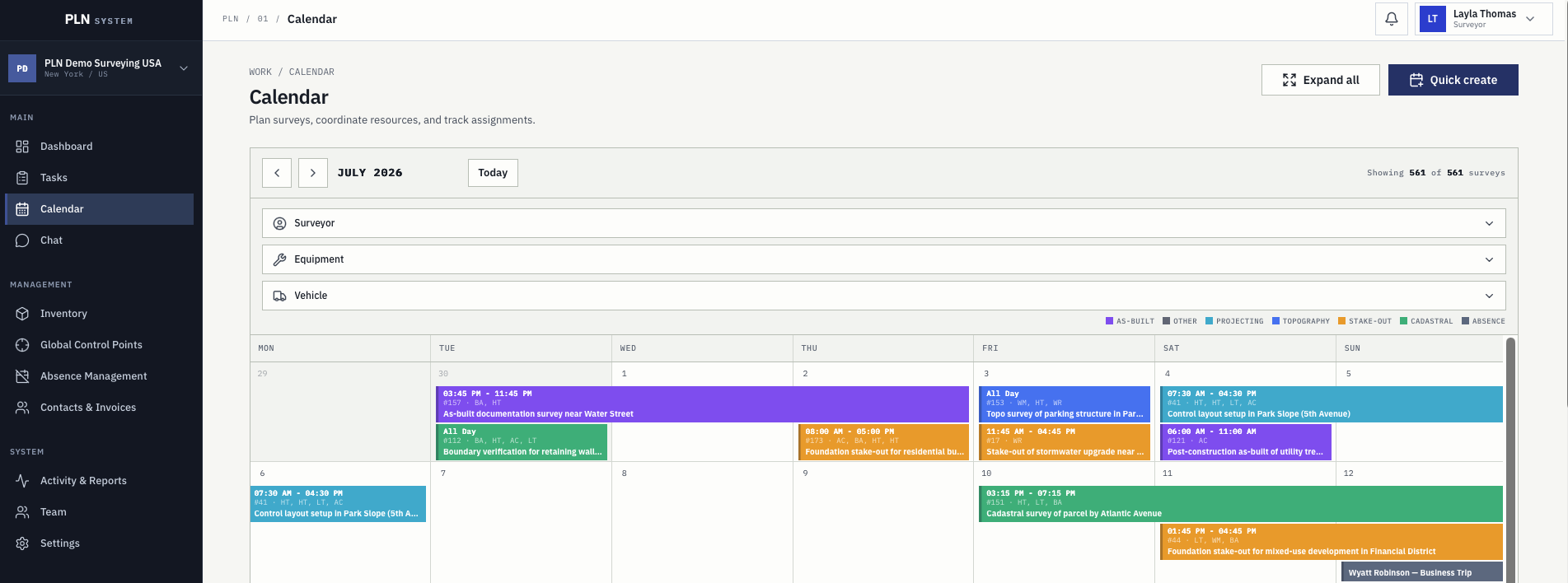
Schedule visibility
Calendar filters help managers coordinate crews, instruments, vehicles, planned surveys, and approved absences from a single view.
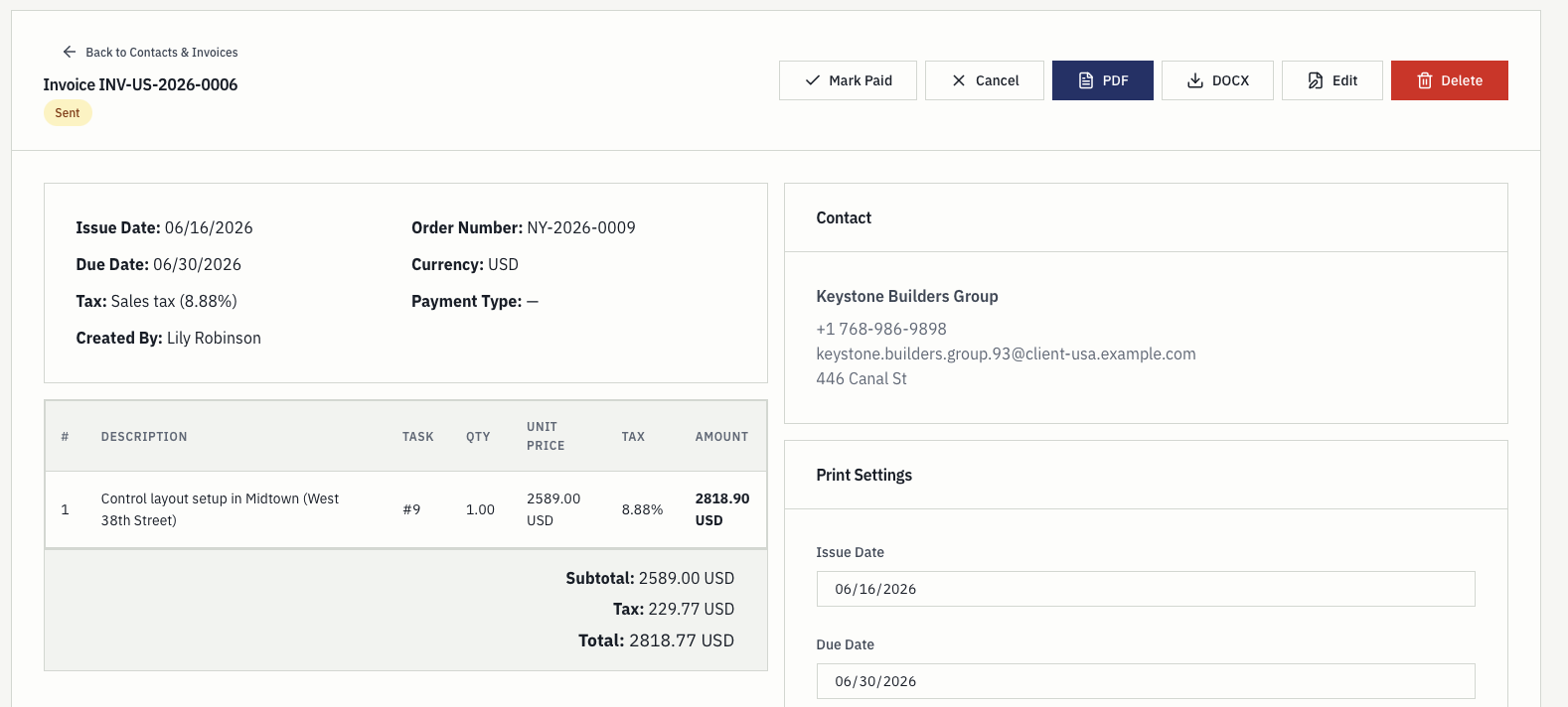
Billing
Billing staff can review contacts, task line items, tax, payment type, dates, and exports without manually rebuilding the job.
Global control points
Benchmarks, GNSS reference points, and temporary nails are stored once for the whole organization. Every point keeps its coordinates, note, and picture, and any surveyor can find it on the map and navigate straight to it.
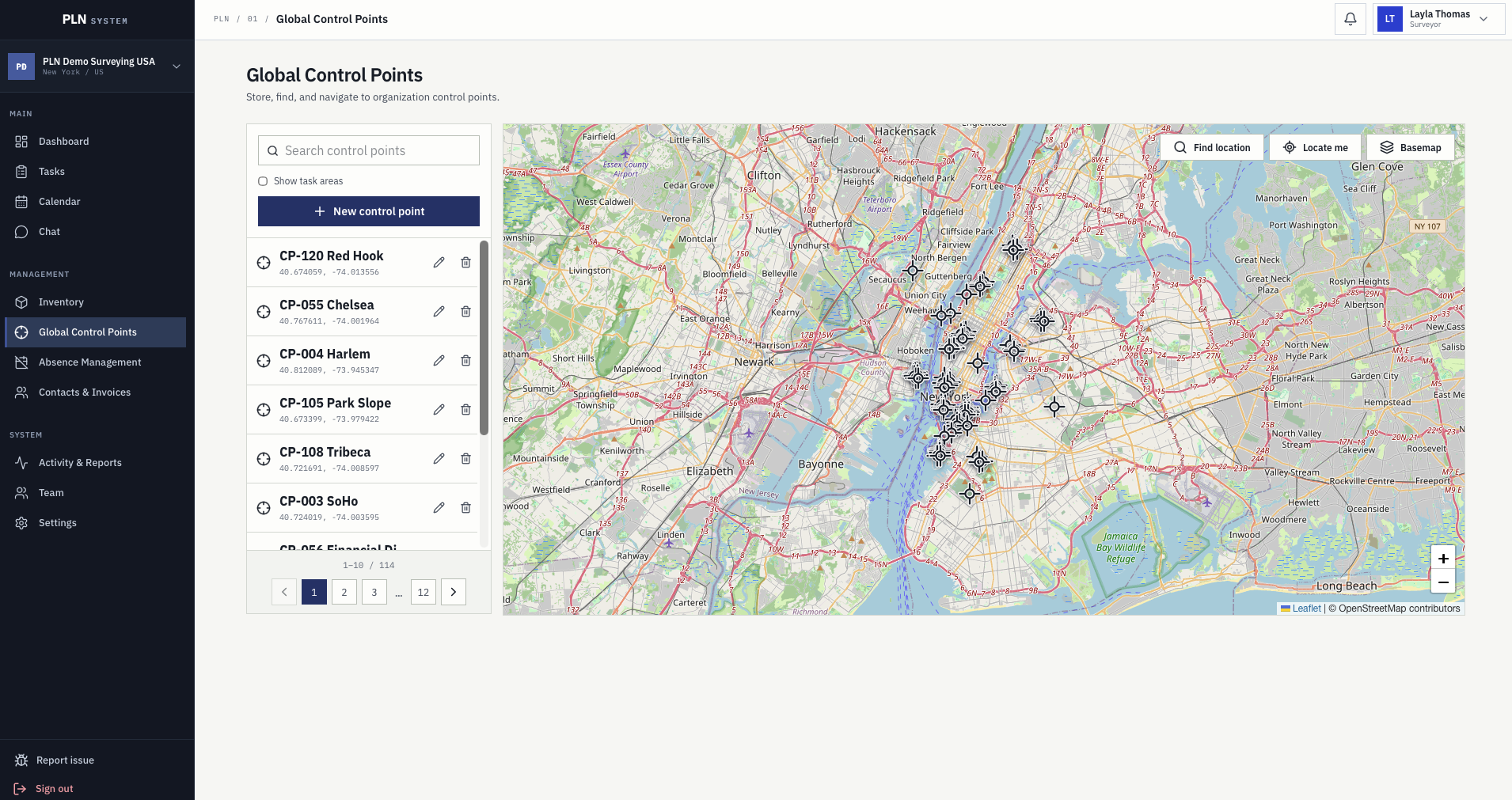
Points are created from the field or the office and stay available to the whole organization instead of being re-established on the next job nearby.
Find a point by name, read its exact coordinates, and check the note that explains how it was set and whether it can still be trusted.
Show task areas next to the control point layer so crews can see which points actually serve the job they are heading to.
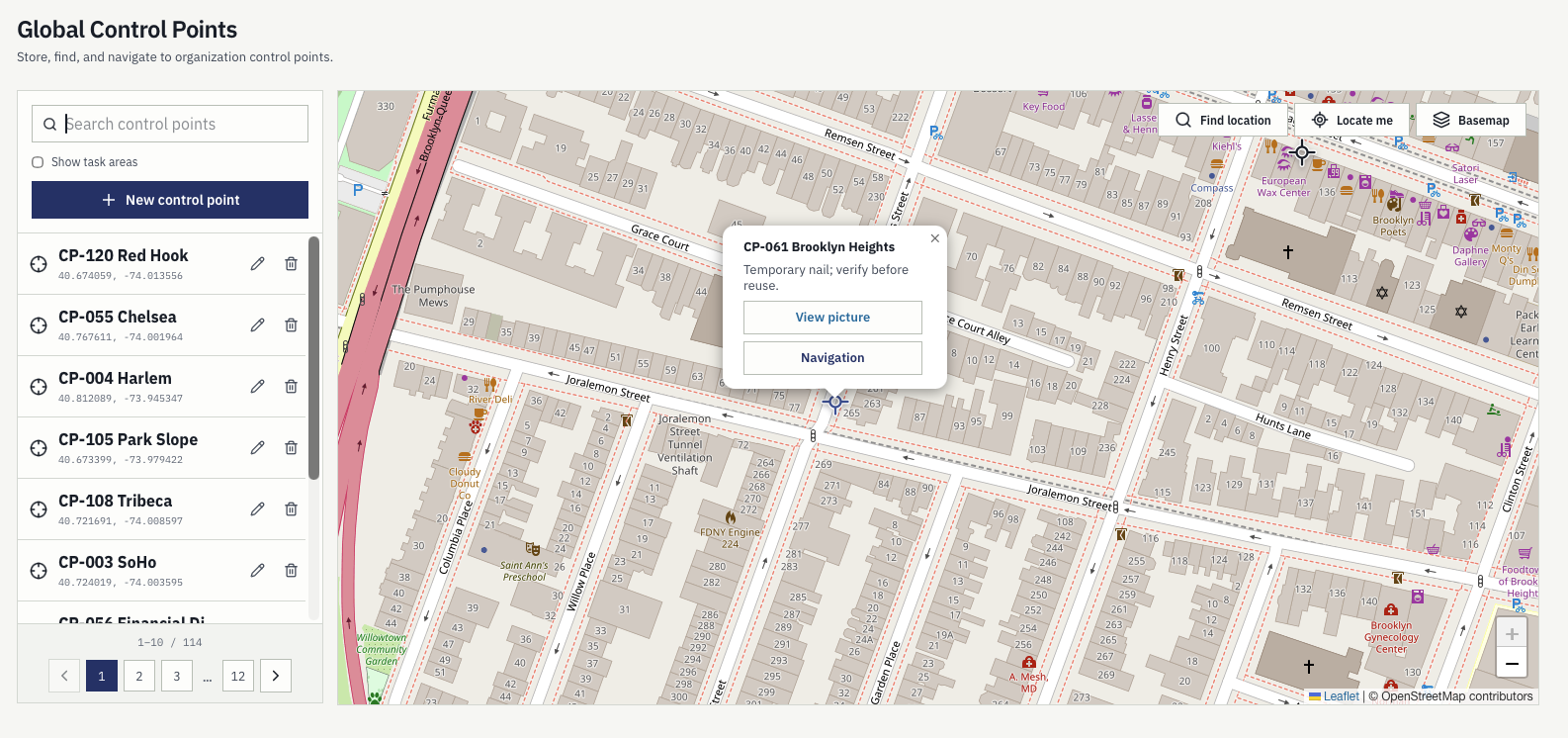
In the field
Each point opens with the note left by the surveyor who established it, the photo taken at the time, and a navigation action that hands the coordinates to the phone. No more calling the office to ask where the benchmark was.
Camera guide
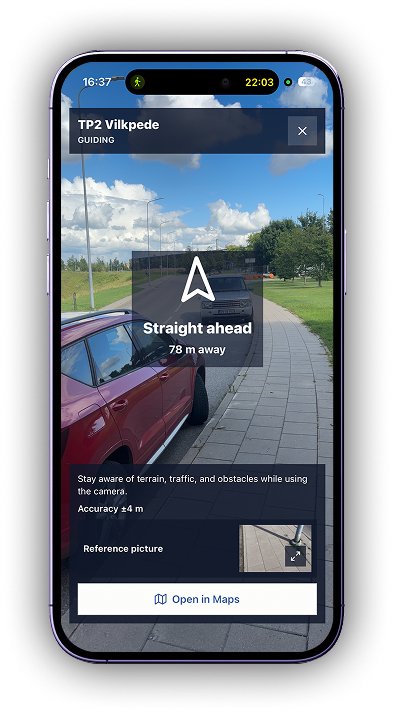
Coordinates get a crew to the street. The camera guide gets them to the mark: a live camera view with the bearing, the remaining distance, the current position accuracy, and the reference picture of the point side by side, so a nail under leaves or a benchmark behind a fence is actually found.
Staff management
PLN is not only jobs and instruments. Team records, roles, vacations, time off, business trips, and approvals live in the same workspace, so the day-to-day life of employees is handled where the work is planned.
Keep the employee list, job titles, and access rights in one place, so people see the work and data that belongs to their role.
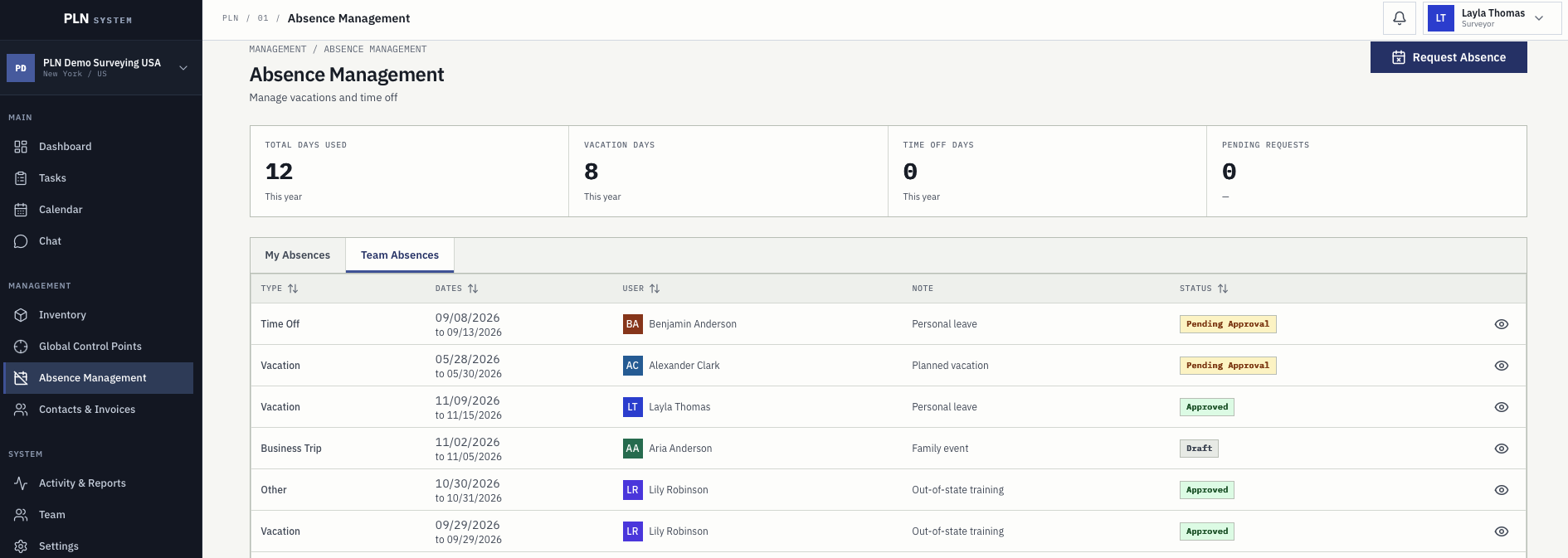
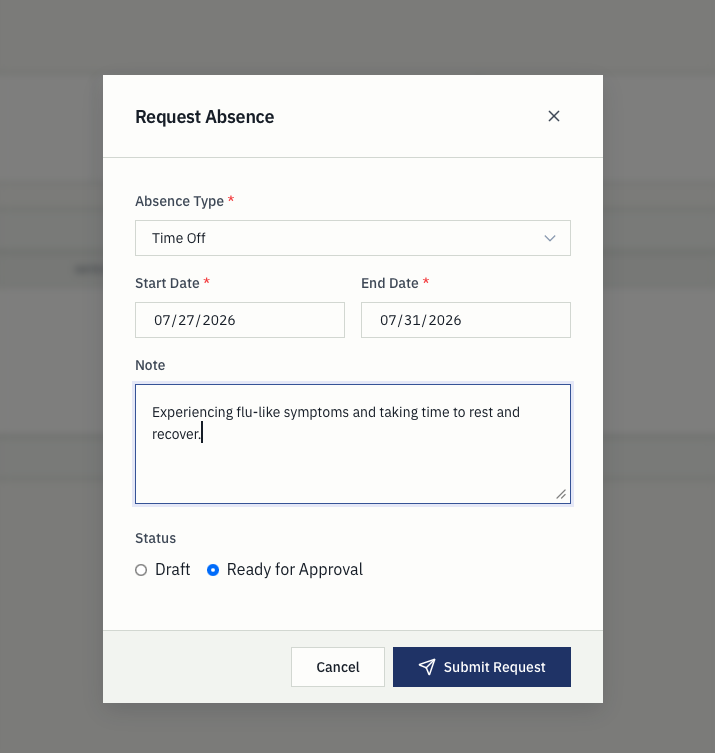
Request absences with dates and a note, save them as a draft, or send them for approval. Managers approve or reject from the same table.
Used days, vacation days, time-off days, and pending requests are visible to the employee without asking the office for a number.
Absence-aware planning
Absences appear in the calendar next to planned surveys and are checked when a crew is assigned, so a manager does not dispatch someone who is already off. Requests and approvals are confirmed by email notification, so nobody has to chase a status.
Replace fragmented tools
PLN is narrower than generic project management software on purpose. It focuses on survey work where task data, calendars, crews, instruments, vehicles, absences, reports, and invoices need to agree.
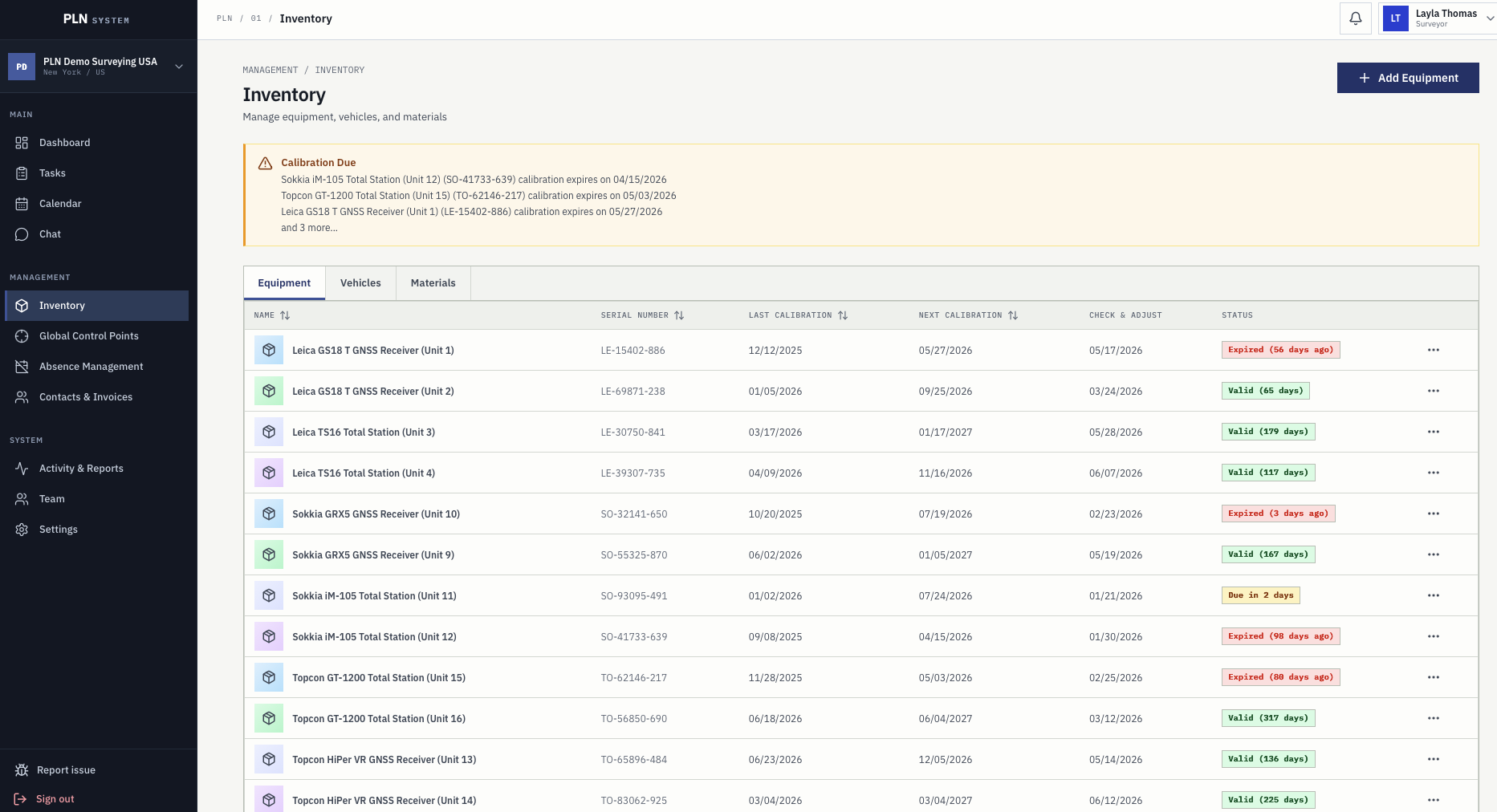
Equipment, vehicles, and materials are not just lists. Calibration, check-and-adjust, insurance, and inspection dates are used during planning, so availability is known before the crew leaves.
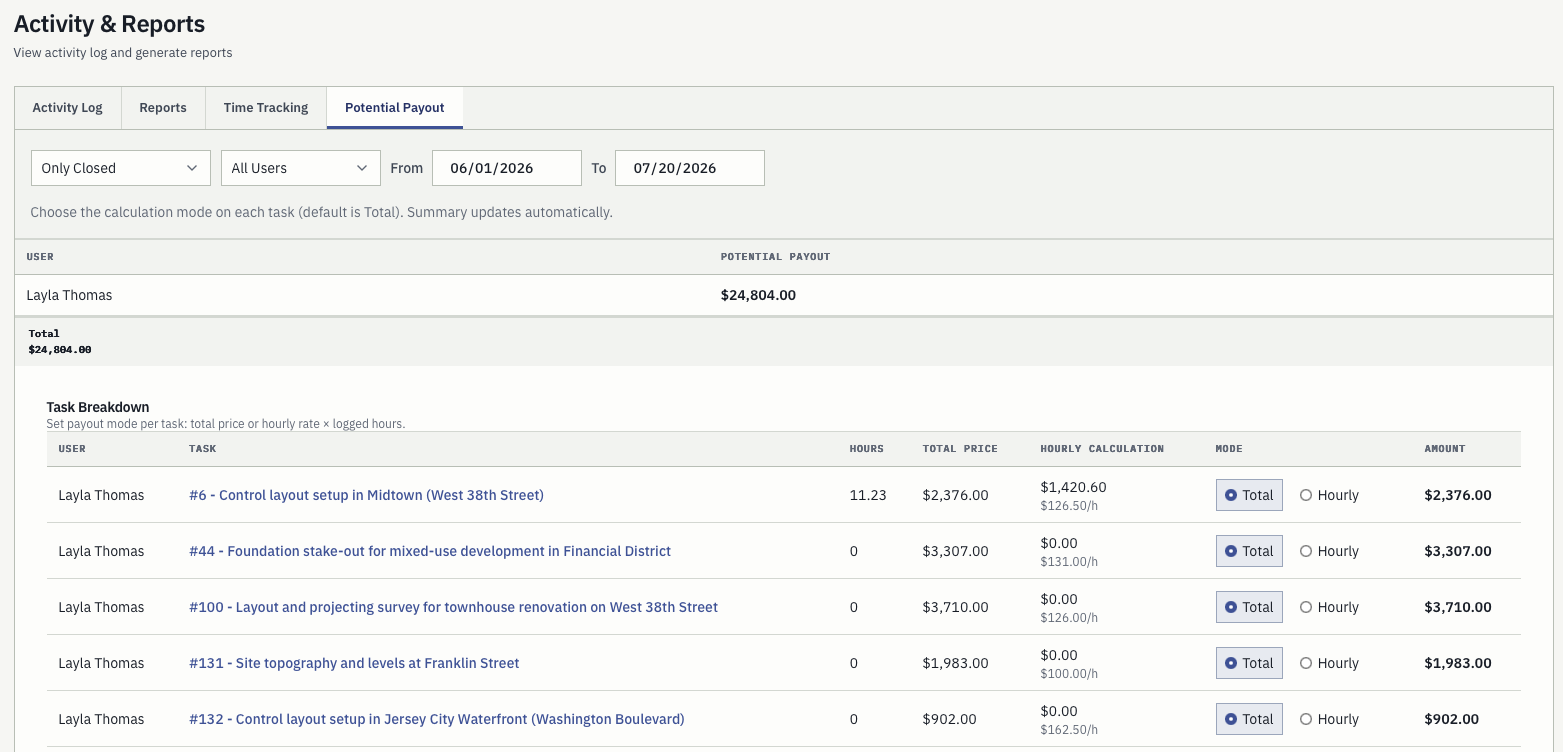
Activity log, reports, time tracking, and potential payout are calculated from work already recorded. Choose a total price or an hourly rate per task and the summary updates itself.
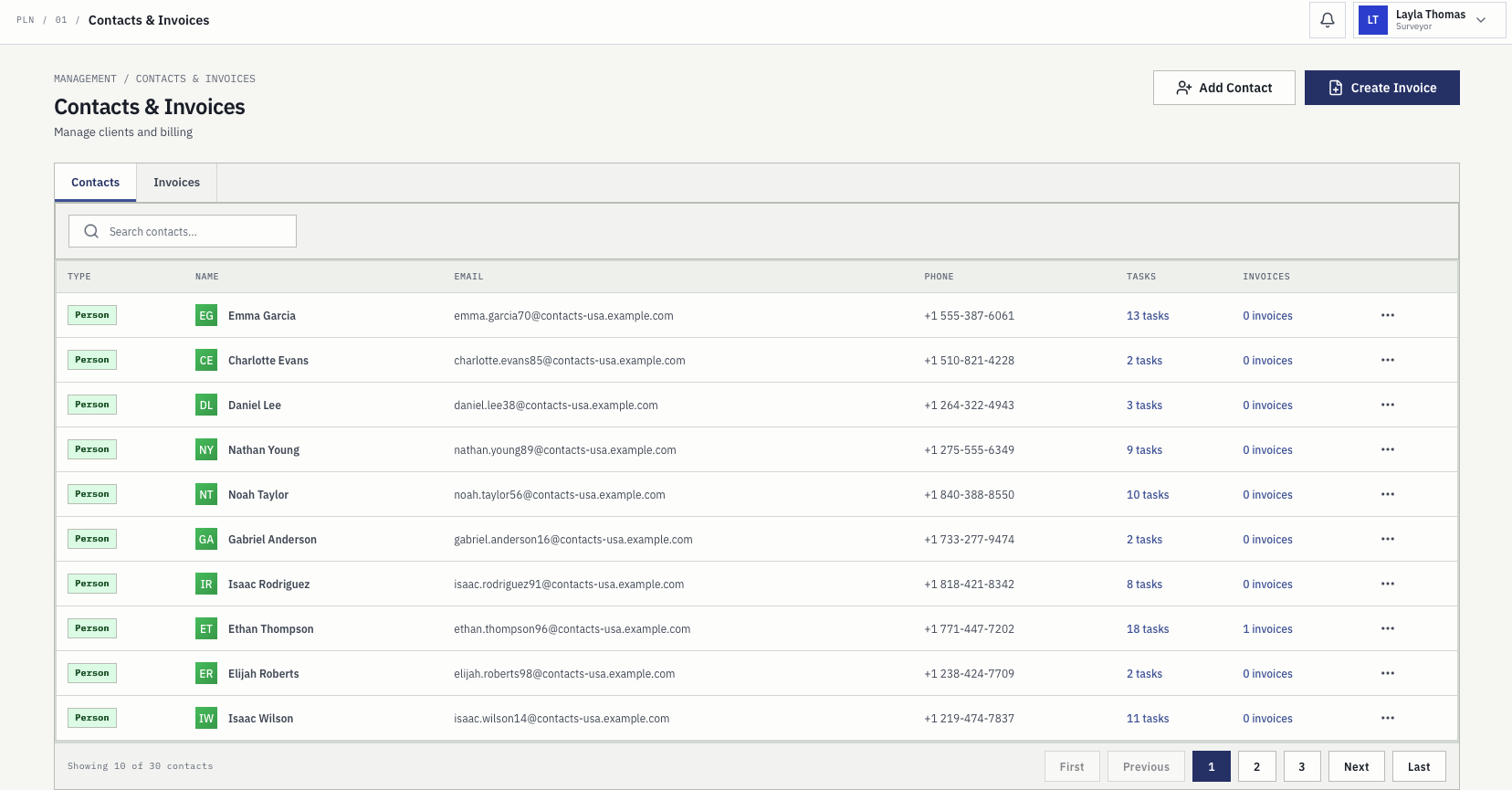
People and companies are stored with their contact details, and each record shows how many tasks and invoices belong to it, so history is one click away instead of one search through email.
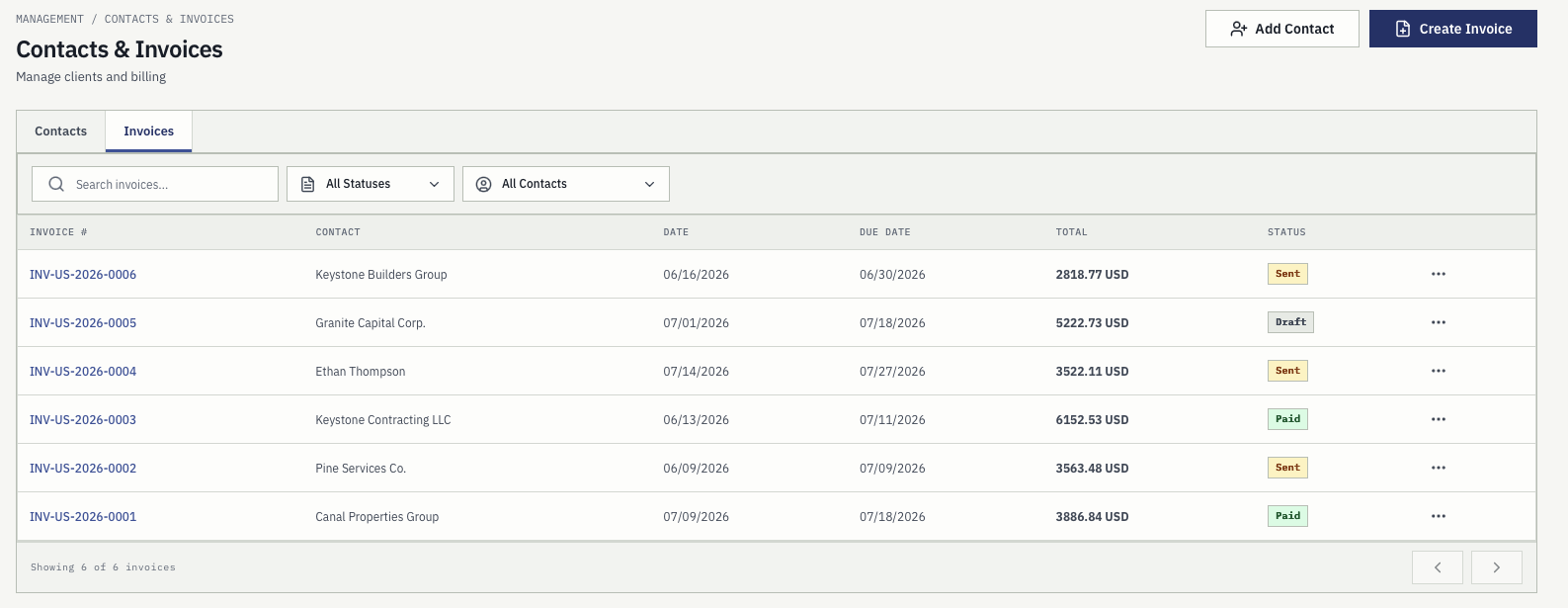
Invoices are filtered by status and contact, carry issue and due dates and totals, and export to PDF or DOCX from the record the survey work already created.
PLN System Mobile
The mobile app is built for the crew standing on site, not for reporting from a desk. Assigned work, task geometry, control points, photos, and chat are in the pocket, and the office sees the result immediately. The app is available now on Google Play and the App Store.
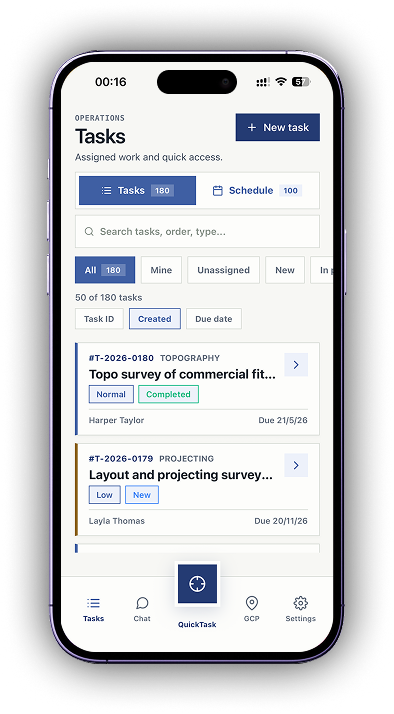
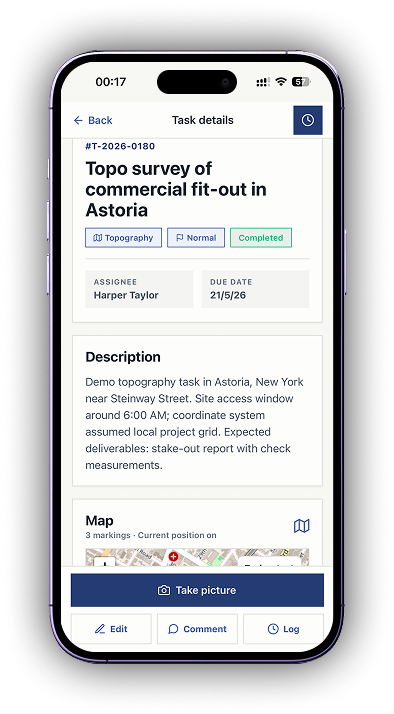
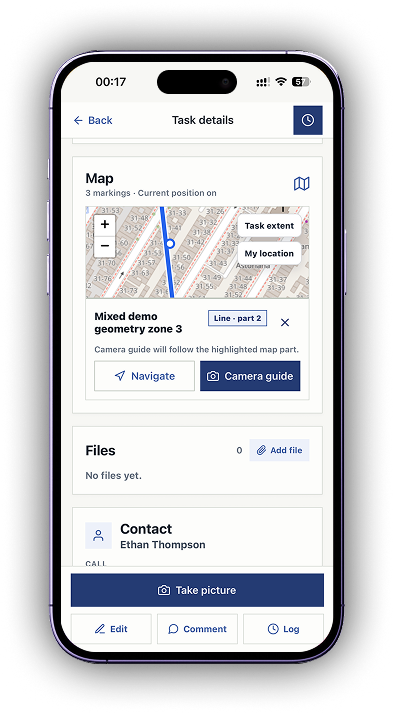
Surveyors open the tasks assigned to them with survey type, priority, status, client, due date, description, and the map markings for the job.
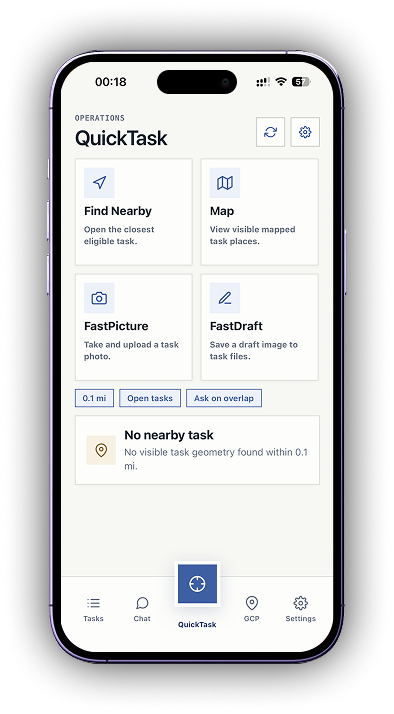
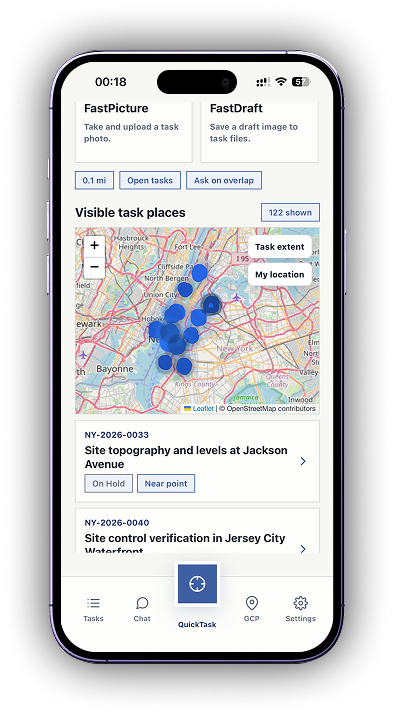
Find the nearest eligible task from where you are standing, or open the map of visible task places. FastPicture uploads a site photo and FastDraft saves a draft image straight to the task files.
Hold the phone up and the camera view shows the bearing, the distance left, the position accuracy, and the reference picture of the point or task geometry you are walking towards.
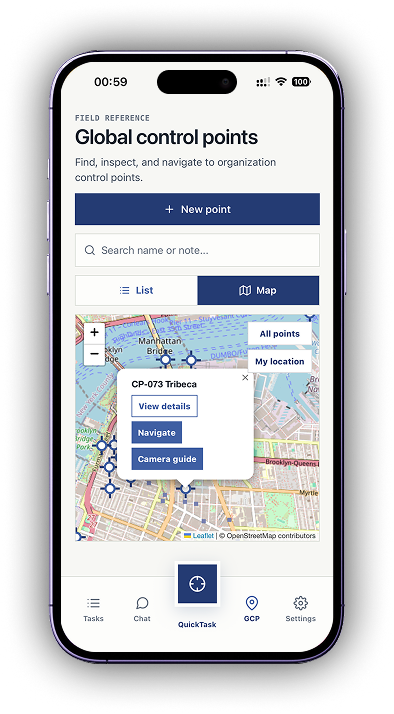
The full organization control point register travels with the crew as a list or a map, with the note and picture recorded when each point was established.
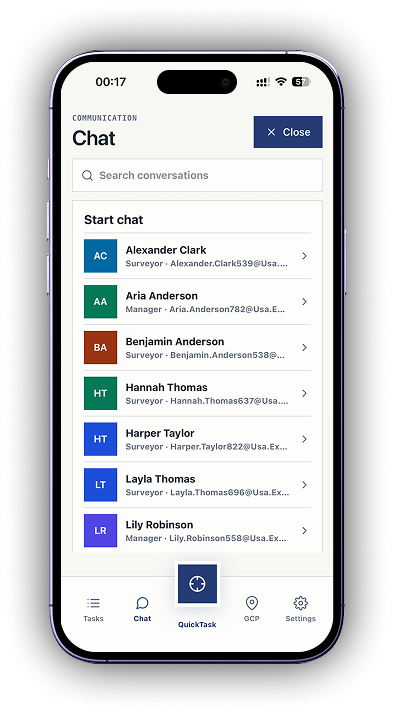
Direct conversations with surveyors and managers happen inside the app, so a field question does not turn into a private message nobody else can find later.
Take a picture, add a comment, and log time against the task while still on site instead of reconstructing the day in the evening.
PLN System Mobile is available now on Google Play and the App Store.
Before and after
PLN is for small and medium surveying companies that need one operational record instead of disconnected files, chats, calendars, and invoice notes.
Easy to start
Many companies avoid complicated systems because the team never really adopts them. PLN is designed to keep the daily workflow simple: create the job, plan the crew, check resources, record activity, and prepare billing context without a heavy enterprise setup.
PLN avoids generic project-management clutter and keeps the main survey workflow visible.
Tasks, calendar, resources, activity, and invoices are separated clearly so users know where to go.
During beta, we help you understand how your current workflow maps into PLN before you commit.
Founder story
PLN System was created by Jonas, a professional surveyor from Lithuania, after years of working with tools that did not fit how surveying teams actually operate.
Existing survey software often felt clunky, hard to maintain, or too complicated for daily use, while generic project management platforms were overkill for small and medium surveying companies. PLN was built in the EU for skilled surveyors and team managers who need jobs, crews, equipment, activity, communication, and billing in one affordable workspace.
For field surveyors
Field teams need clear job context, not another office-only dashboard. PLN keeps today’s work, location context, notes, equipment, comments, and status changes close to the task record - in the browser and in the mobile app.
Surveyors can see the work assigned to them with due dates, status, and task context.
Important context stays attached to the job record instead of being lost in separate messages.
The app shows task places and control points around the crew, so an extra job on the same street is not missed.
Managers can connect people, instruments, vehicles, and plans before the crew leaves the office.
Survey operations resources
Explore the operational workflows that survey firms need to control: project management, crew scheduling, equipment, reporting, invoicing, pricing, and spreadsheet replacement.
Built around responsibility
See workload, active jobs, pending invoices, logged time, and where manual coordination is slowing delivery.
Plan crews, confirm equipment, avoid absence conflicts, monitor due dates, and keep clients moving.
Know assigned work, location context, planned time, equipment, vehicles, comments, and what is needed to be done.
Manage contacts, task pricing, invoice statuses, PDF/DOCX exports, payment terms, and company settings.
Pricing
Every new company starts with three months free from the date its account is created. After the trial, transparent workspace plans include the full feature set - you choose how many users and how much storage you need.
€9 / month
≈ $10 / month
€29 / month
≈ $32 / month
€59 / month
≈ $65 / month
No credit card. All features included in every plan. No setup fees. Cancel anytime.
Controls
Admin settings let each company control roles, permissions, survey visibility, invoice settings, localization, upload limits, and storage limits without turning the product into a generic project tool.
Trust and data
Survey companies need to know who controls their data, what happens after the free trial, how support works, and how to leave if the system is not a fit.
PLN is a workspace for your operational records. Your company remains the owner of its project, client, team, activity, and billing data.
Key records can be exported, and trial users can request account and workspace deletion through support.
We respect privacy, answer data questions directly, and keep trial terms clear before your company puts real project work into PLN.
Languages
PLN supports localized workspaces across English, Lithuanian, and major European languages, so office and field teams can use familiar product labels.
Contact
If you want to see how PLN fits your survey workflow, your free trial, setup, data handling, or choosing a plan after the trial, reach out directly.
Sales & inquiries
[email protected]Help & technical questions
[email protected]We typically reply within one business day.